
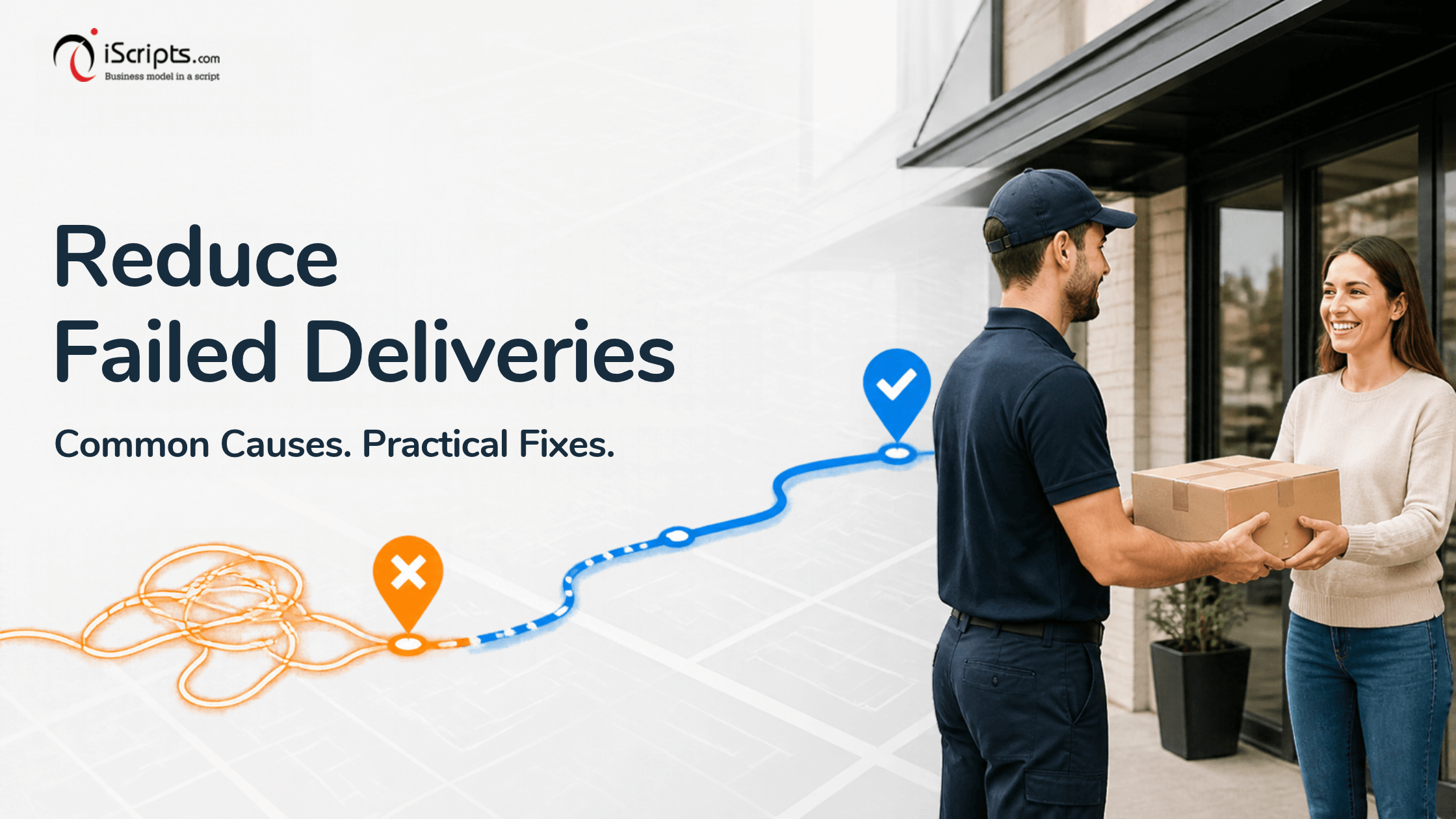
Your driver reaches the building. The unit number is missing, the customer doesn’t answer, and the order returns.
You’ve paid for the trip. Now your team must arrange another attempt or resolve a refund.
For 3PL companies, retailers, restaurants, and e-commerce providers, failed deliveries consume time and reduce the margin on orders you’ve already won.
Delivery management software such as iScripts Locologic helps coordinate dispatch, driver updates, customer communication, and delivery confirmation. Your operating process determines how effectively those tools prevent problems.
If you’re deciding how to reduce failed deliveries, start with complete information, realistic dispatch plans, timely communication, and a clear recovery process.
What counts as a failed delivery?
A failed delivery occurs when an attempted handover cannot be completed for example, because the address is incomplete, the recipient is unavailable, or the driver cannot access the location.
Track it separately from a late delivery, an incorrect item, or a disputed handover. These problems can overlap, but they need different fixes.
“Customer unavailable” requires a different response from “the warehouse loaded the wrong parcel.”
What are the common causes of failed deliveries?
The causes of failed deliveries often begin before the driver leaves. Use the failure reason to identify both the corrective action and the person responsible.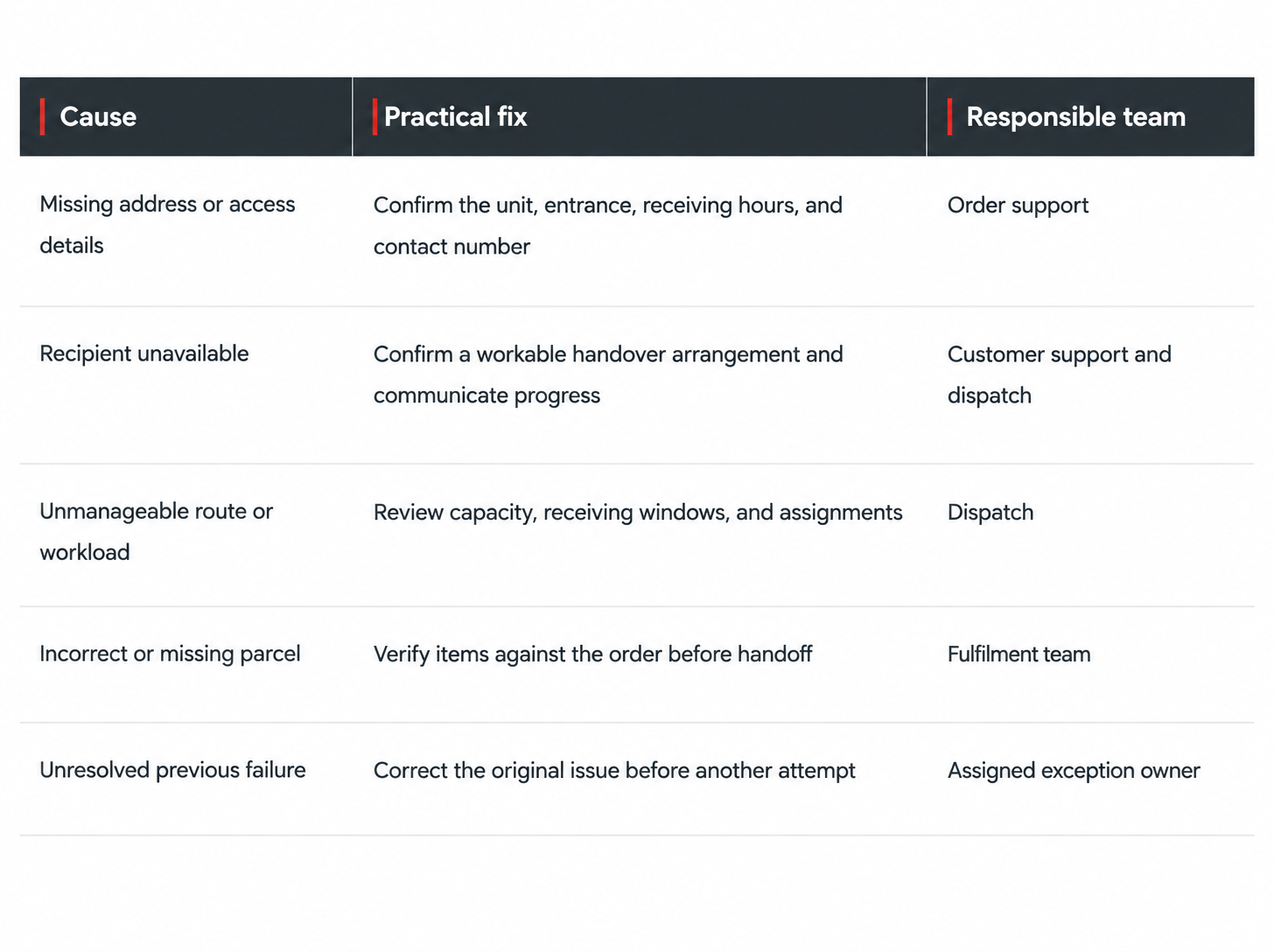 Repeated attempts add to last-mile delivery costs through extra travel, handling, and customer support.
1. Give drivers usable information before dispatch
A valid street address may still be insufficient.
An apartment needs a unit number. A retail store may accept goods only through a loading entrance. A business recipient may close before the driver arrives.
Collect the information relevant to the delivery and keep it accessible with the order. Confirm unclear details before loading.
Order-system integrations can reduce repeated data entry. Check which fields transfer, how corrections synchronize, and whether drivers receive the updated instructions.
Integration helps move information. Your team still needs to check that the information is complete.
2. Plan around readiness, capacity, and receiving hours
The closest driver may already have a full workload or an unsuitable vehicle.
Locologic supports automatic or manual dispatch, with suggested assignments based on factors including driver location, load, and projected availability. Its dispatch and routing features help teams coordinate deliveries.
Before releasing an order, check that it is ready, the driver can carry it, and the recipient can receive it.
This is where last-mile delivery management needs to reflect your business:
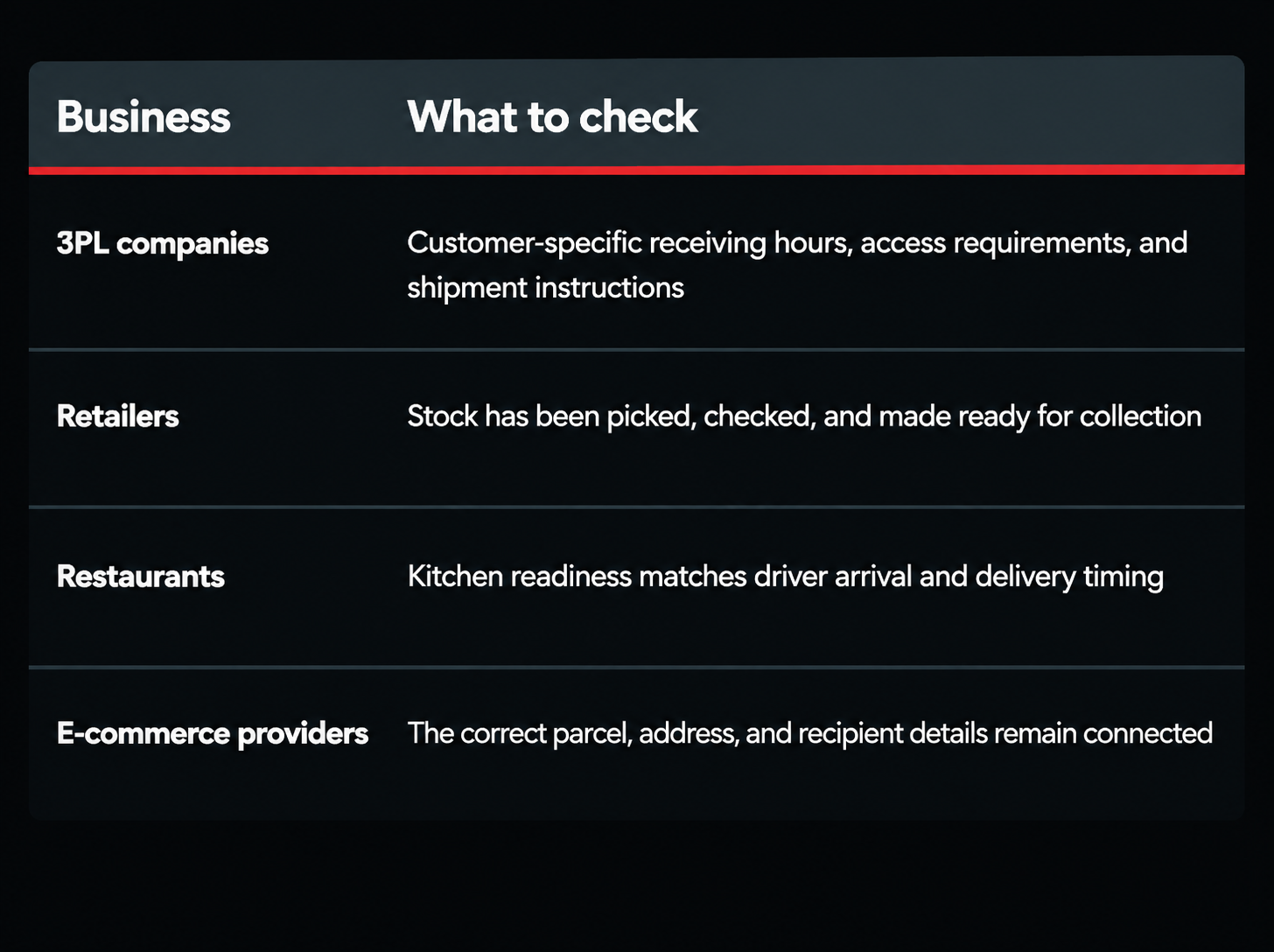
3. Keep customers informed when the plan changes
A customer cannot prepare for a delivery they know nothing about.
Real-time delivery tracking provides visibility into progress and an estimated arrival time. Locologic also documents SMS notifications and customer-driver contact options.
Use these updates to help recipients prepare. If the schedule changes, communicate the revised expectation.
Treat an ETA as an estimate. Avoid leaving customers waiting against an arrival time your team already knows is unrealistic.
4. Resolve the failure before arranging another trip
A “not delivered” update should trigger a decision.
Record the specific reason, assign an owner, and confirm what must change. The driver app workflow supports delivery-status updates and customer contact, giving your team information to act on.
Before a new attempt, confirm:
- The original issue has been resolved.
- The customer understands the new arrangement.
- The order record contains corrected instructions.
- Dispatch and the driver can see the changes.
For restaurants and other perishable deliveries, assess safety and quality before agreeing to redelivery. Another trip may require a replacement order rather than the original goods.
5. Record the handover clearly
A completed status alone may leave questions about who received the order.
Proof of delivery, such as a photo, signature, or barcode-based record, helps teams investigate handovers. Choose evidence appropriate to the goods and your delivery requirements.
Drivers should follow the agreed recipient or safe-location instructions before marking the delivery complete. Evidence supports a correct handover; it cannot substitute for one.
How Locologic supports last mile delivery operations
For 3PL delivery management, the platform brings together dispatch, driver and vehicle management, tracking, and reporting.
Its restaurant delivery management offering supports businesses operating their own driver pool or a crowd sourced model.
Retailers can coordinate local fulfillment with delivery updates, while e-commerce delivery tracking helps keep delivery progress visible after an order leaves the warehouse.
Confirm the integrations and configuration your operation needs before implementation.
Measure the problem, then fix the repeat offender
Track your first-attempt delivery success rate:
Deliveries completed on the first attempt ÷ deliveries receiving a first attempt × 100.
Use the same reporting group for both figures. Review failure reasons and redelivery costs alongside the percentage.
Then examine your recent unsuccessful deliveries. Which preventable cause appears most often? Who can change the process behind it?
Start there.
Explore Locologic with your most frequent failure scenario in mind. Follow one order through dispatch, customer updates, driver contact, and handover.
Before paying for the next attempt, make sure your team has changed what caused the first one to fail.

