
More online orders should mean more money for your restaurant. But when you check the payouts, the numbers don’t always match your expectations. Should you keep using delivery marketplaces or start taking orders yourself?
Software such as iScripts NetMenus lets restaurants accept orders through their own website, with optional branded mobile apps. But choosing an ordering channel takes more than comparing commission rates.
You need to know what each order costs, who handles delivery, and whether your team can manage the workflow. Let’s break it down.
-
What does each order actually cost?
Start with the money you keep after fulfilling an order. Marketplace commissions may cover payment processing, delivery, and customer access. With direct ordering, you often pay for those services separately.
Here’s a simple example.
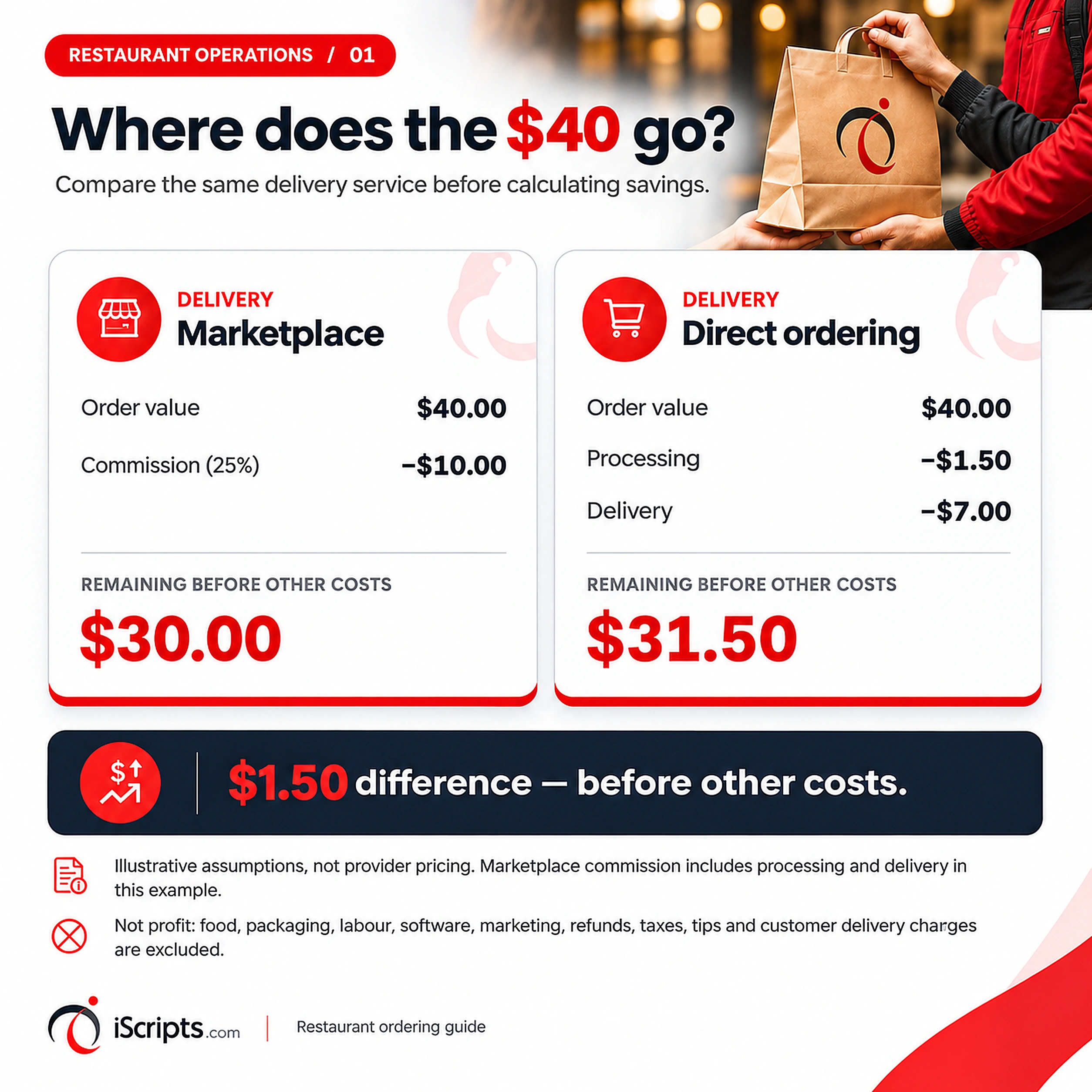
On a hypothetical $40 order, a 25% marketplace commission costs $10. If you take that order directly and pay $1.50 for processing plus $7 for delivery, you spend $8.50.
That leaves a $1.50 difference before software, marketing, and support costs. Add a restaurant-funded discount, and that difference could disappear.
Direct pickup changes the calculation because you don’t pay for delivery. Compare equivalent services: delivery with delivery, pickup with pickup. Then include food, packaging, and preparation costs to see what each order contributes to your business.
-
Who gets the food to the customer?
Taking orders directly doesn’t automatically mean hiring drivers. You can offer pickup, manage your own delivery team, or work with an outside delivery provider. Each option changes your costs and responsibilities.
Before choosing, ask:
- Does the provider cover your delivery area and operating hours?
- How much will each delivery cost?
- Can your ordering system connect to the service?
- Who handles delays, failed deliveries, and customer complaints?
These questions matter during service. A customer waiting for dinner needs someone who can resolve the problem. Make sure your team knows who that person is.
-
Will the system work during your Friday rush?
Imagine a Friday evening. A customer orders two pizzas, changes the toppings, and chooses delivery. Your kitchen already has a queue. Can staff spot the order? Do the changes reach the kitchen? Who confirms when it’s ready?
Test the full journey b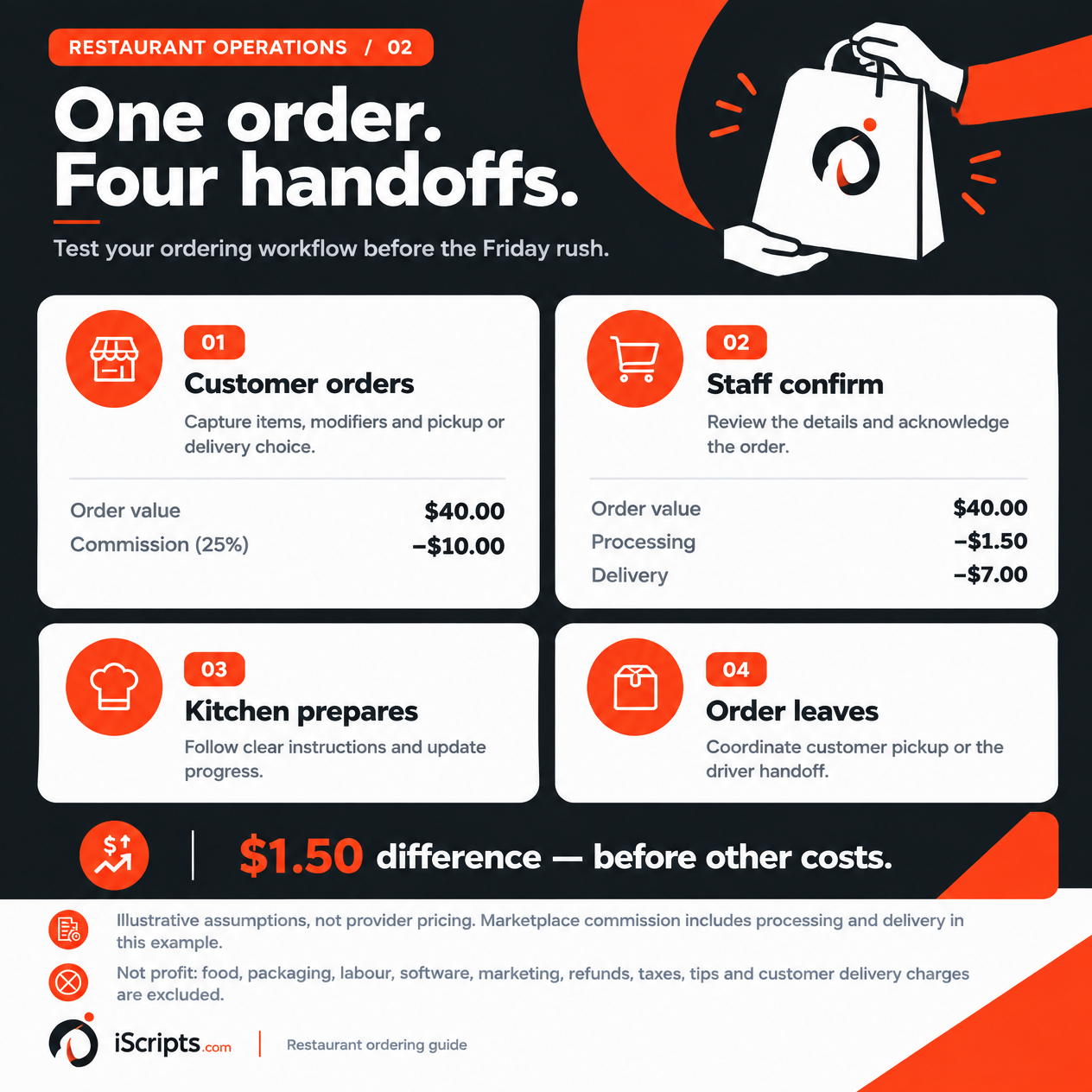 before buying software:
- Receive the order. Check how staff get notified and acknowledge it.
- Prepare it accurately. Make sure modifiers, quantities, and notes appear clearly.
- Handle changes. Test what happens when an item becomes unavailable or an order needs attention.
- Complete the handoff. Confirm who updates the status and coordinates pickup or delivery.
If you depend on a POS connection, ask for a demonstration using your specific system. A general integration claim doesn’t tell you how much setup or development your restaurant needs.
Our guide to features needed for a restaurant ordering system covers more questions to ask.
-
What customer access do you get?
A marketplace can help new diners discover your restaurant. Your own ordering channel gives people who already know you a direct route back. But a customer database alone won’t create repeat business. Check whether you can access order history, manage promotions, retrieve the records you need, and respect customers’ marketing preferences. Then give people a reason to return: an easy checkout, reliable service, and relevant offers.
You’ll also need to attract visitors to your ordering page. Put the link where customers already look: your website, social profiles, and restaurant-controlled materials.
For practical ideas, read how online ordering systems help restaurants increase direct sales.
-
Which setup fits your restaurant?
A marketplace may earn its place by bringing profitable orders you wouldn’t otherwise receive. Direct ordering may work well when you have regular customers, manageable fulfillment costs, and a team ready to operate it.
You can use both.
For restaurants evaluating an owned channel, NetMenus supports single restaurants, multiple locations, customized menu items, and kitchen order handling. Its one-time license model removes monthly and per-order software fees, while hosting, processing, maintenance, and delivery remain separate expenses. Review the platform’s features against your requirements.
Start with one location or fulfillment option. Measure what remains after costs, how reliably orders reach customers, and how much work your staff takes on.
Make your next online order work harder
Pull up your last month of online sales. Choose a typical order and calculate what it actually left behind. Then ask what would change if that customer ordered directly. Would you save money? Deliver reliably? Make reordering easier? Those answers give you a business case you can act on.
Explore the NetMenus demo with your own menu and busiest-hour workflow in mind. Follow one order from checkout to kitchen and see whether the setup fits the restaurant you run.

