
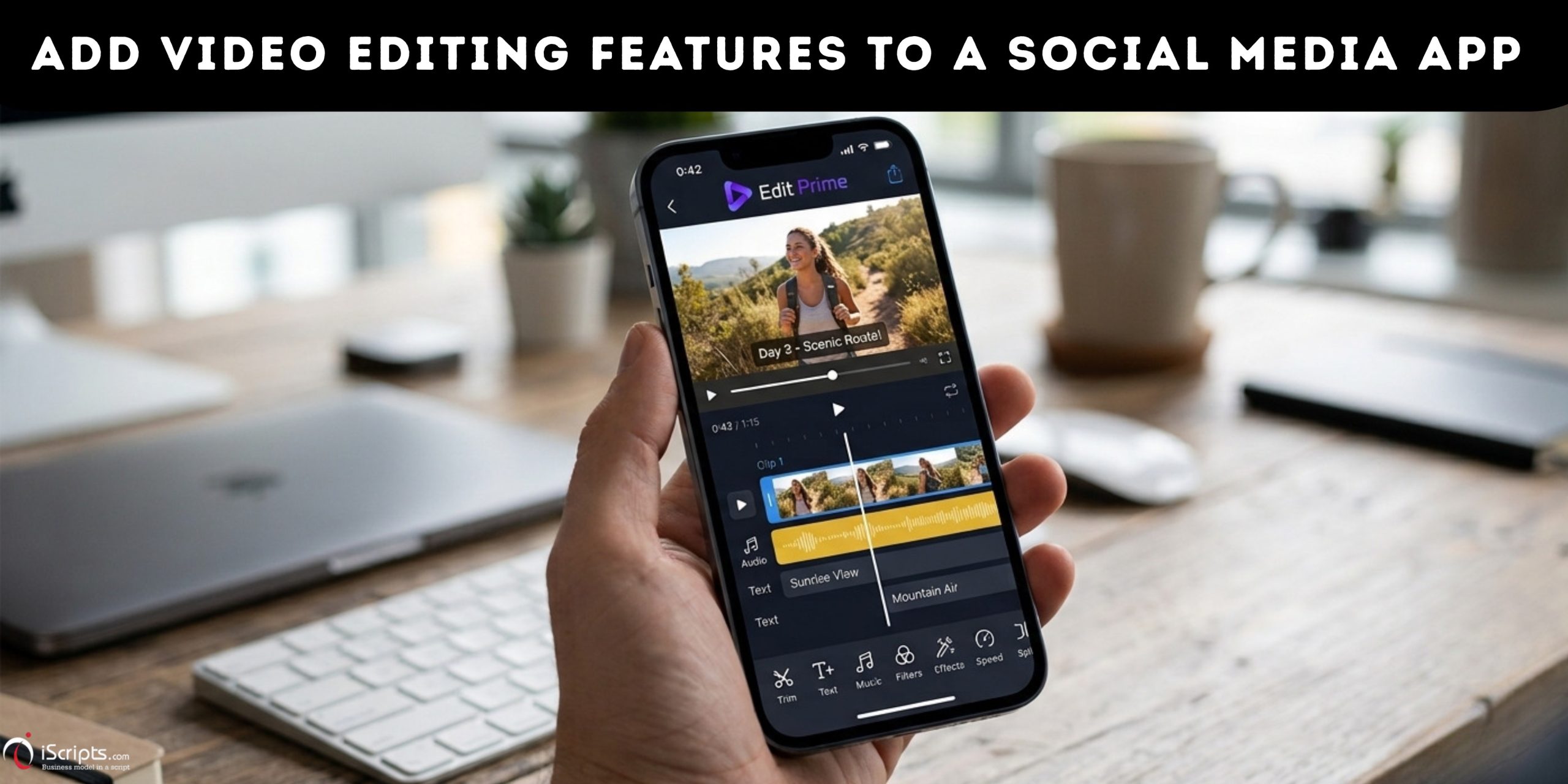
Video has become one of the most important content formats on social media. Users increasingly expect social media platforms to provide more than just a place to upload and share videos. They want to record, edit, customize, and publish content without switching between multiple applications.
Adding video editing features to a social media app can make the content creation process faster and more convenient. Features such as video trimming, filters, text overlays, music, transitions, captions, and speed controls can help users create engaging content directly within the platform.
For businesses planning to build a social media app, integrating a video editor can also create opportunities to improve user engagement, encourage content creation, and increase the time users spend on the platform.
Why Add Video Editing Features to a Social Media App?
A built-in video editor reduces the need for users to leave the social media application to edit content. Instead of recording a video, opening another editing app, exporting the finished file, and uploading it again, users can complete the entire process in one place.
A well-designed video editing experience can simplify content creation for beginners while still providing useful creative controls for experienced creators. It can also support different types of content, including short-form videos, stories, reels, promotional videos, tutorials, product demonstrations, and user-generated content.
Essential Video Editing Features for a Social Media App
The right feature set depends on the target audience and the type of content expected on the platform. However, several video editing tools can provide a strong foundation.
Video Trimming and Cutting
Basic trimming should be one of the core features of a social media video editor. Users should be able to remove unwanted sections from the beginning, middle, or end of a video.
A simple timeline interface can allow users to select specific portions of a video and quickly create a shorter clip. This is particularly useful for short-form video content where concise storytelling is important.
Video Cropping and Resizing
Social media content can appear in different formats depending on where it is published. Vertical video is commonly used for mobile-first content, while square and landscape formats may be suitable for other types of posts.
A video cropping and resizing tool allows users to adjust the framing of a video without requiring a separate editing application. Preset aspect ratios can make this process easier for users.
Filters and Visual Effects
Filters can help users change the overall appearance of a video with minimal effort. A social media app can provide different categories of filters, such as cinematic, vintage, warm, cool, black-and-white, and lifestyle effects.
Additional visual effects can make videos more creative and give users more control over the final appearance.
Text and Caption Overlays
Text overlays allow users to communicate information directly through the video. Users can add titles, descriptions, quotes, announcements, subtitles, and other text elements.
Automatic captions can make this feature even more useful. Users can generate captions from spoken audio and then customize the font, position, size, and animation.
Captions are particularly important for short-form social media content because they can help communicate the message even when audio is turned off.
Music and Audio Editing
Music and sound can significantly influence the experience of a social media video. A video editor can allow users to add background music, adjust audio levels, trim sound clips, and combine original audio with music.
An audio library can also provide users with a collection of sounds and music tracks. However, licensing and copyright requirements should be considered when offering music within the application.
Video Transitions
Transitions help connect multiple video clips smoothly. A social media video editor can provide simple transitions such as fades, slides, zooms, and other effects. The interface should keep transitions easy to apply rather than overwhelming users with too many complicated options.
Speed Control
Speed controls allow users to make videos faster or slower. Slow-motion effects can emphasize important moments, while speed adjustments can make videos more dynamic. Speed ramping can also be considered for more advanced editing experiences, allowing the speed of a video to change at different points within the same clip.
Stickers, GIFs, and Emojis
Creative elements such as stickers, GIFs, and emojis can make social media videos more expressive. Users can place these elements at specific positions and control how long they appear on screen.
These features can be especially useful for casual content, entertainment videos, stories, and creator-focused platforms.
AI-Powered Video Editing
Artificial intelligence can automate repetitive editing tasks and reduce the amount of manual work required from users. AI-powered features can include automatic captions, background removal, noise reduction, object detection, scene detection, highlight creation, and automatic clip selection.
For example, an AI video editor could analyze a longer recording and identify useful sections that can be turned into shorter social media clips.
Background Removal
Background removal allows users to separate the main subject from the background. This can be useful for creators who want to replace backgrounds, create promotional content, or apply creative effects. The feature can be implemented using AI-based image and video segmentation technology.
Templates
Video templates can make content creation faster by providing predefined combinations of transitions, text, effects, music, and timing.
Users can select a template, add their own video clips, and customize the available elements. Templates can be particularly useful for users who want professional-looking results without advanced editing skills.
Multi-Track Editing
A multi-track timeline gives advanced users more control over their content. Separate tracks can be used for video clips, background music, voiceovers, text, stickers, and effects.
Although this can make the editor more powerful, the interface should remain simple enough for users who only need basic editing tools.
How to Add Video Editing Features to a Social Media App
1. Define the Video Editing Requirements
The first step is to determine what users should be able to do with videos inside the application.
The required features will depend on the type of social media platform and its target audience. A platform focused on casual users may need simple editing tools, while a creator-focused application may require more advanced functionality.
Start by identifying the most important editing actions, such as trimming, cropping, adding text, applying filters, adding music, adjusting speed, and combining multiple clips.
Defining these requirements first helps prevent unnecessary features from making the application complicated.
2. Choose the Right Video Editing Technology
Once the required functionality is clear, the next step is choosing the technology that will power the video editor.
Video editing can be handled directly on the user’s device, through cloud-based processing, or through a combination of both approaches.
On-Device Video Processing
With on-device processing, editing operations are performed on the user’s smartphone or other device.
This approach can provide fast previews and reduce the amount of raw video that needs to be uploaded to a server. However, advanced editing operations can require considerable device processing power.
Cloud-Based Video Processing
Cloud-based video processing moves resource-intensive operations to backend infrastructure.
This can be useful for features such as high-resolution rendering, AI-powered editing, video conversion, and large-scale media processing. However, it requires reliable server infrastructure, storage, bandwidth, and appropriate video processing services.
Hybrid Processing
A hybrid approach can combine both methods. Simple editing operations can happen on the device, while resource-intensive tasks can be handled in the cloud.
The right approach depends on factors such as application scale, target devices, editing complexity, video resolution, and infrastructure requirements.
3. Design the Video Editing Interface
A video editing feature should be easy to understand, especially when the target audience includes users without professional editing experience.
The editing screen can include a video preview, timeline, editing controls, and options for adding creative elements. The most frequently used tools should be easy to access, while advanced options can be organized into additional menus.
A simple editing workflow could allow users to:
Upload or record a video → Edit the video → Preview changes → Export the video → Add a caption → Publish
Keeping this workflow simple can reduce friction during content creation.
4. Add Core Video Editing Features
After designing the editing workflow, the core editing tools can be integrated into the application.
Video Trimming and Cutting
Trimming allows users to remove unwanted portions of a video. A timeline-based interface can let users select the start and end points of a clip.
For applications focused on short-form content, trimming is particularly important because users often need to create concise videos from longer recordings.
Video Cropping and Aspect Ratio Controls
Social media platforms commonly use different video formats. Vertical, square, and landscape videos may all be required depending on the type of content.
Adding cropping tools and preset aspect ratios allows users to prepare videos for different sections of the platform.
Filters and Effects
Filters can change the visual appearance of a video without requiring advanced editing skills.
A video editor can include categories such as cinematic, vintage, black-and-white, warm, and cool effects. Additional visual effects can also provide users with more creative options.
Text and Captions
Text overlays allow users to add titles, messages, announcements, and other information to videos.
Automatic caption generation can make the editing experience more useful by converting speech into text. Users can then adjust the font, size, position, and appearance of the captions.
Music and Audio
Audio editing can allow users to add background music, adjust volume, trim audio, and combine music with original video sound.
If the platform provides a music library, licensing and copyright requirements should be considered before making tracks available to users.
Video Speed Controls
Speed controls allow users to create slow-motion or fast-motion effects.
More advanced implementations can support speed changes at different points in a video, allowing creators to produce more dynamic content.
5. Add Multi-Clip Editing
Many social media videos are created by combining several short recordings.
A multi-clip editor allows users to upload or record multiple videos and arrange them in a timeline. Users can then remove unwanted clips, change their order, trim individual sections, and add transitions between them.
This functionality can be particularly useful for creating reels, stories, tutorials, product demonstrations, and promotional videos.
6. Add Transitions and Creative Elements
Once multi-clip editing is available, transitions can be added to connect different clips. Simple transitions such as fades, slides, and zoom effects can make videos feel smoother. These features can give users more ways to personalize social media content. Other creative elements can include:
- Stickers
- GIFs
- Emojis
- Animated text
- Frames
- Overlays
- Visual effects
7. Integrate AI-Powered Video Editing
Artificial intelligence can make video editing faster by automating repetitive tasks. AI video editing features can include automatic captions, background removal, noise reduction, scene detection, object recognition, highlight detection, and automatic clip selection. AI can also help simplify editing for users who may not have experience with traditional video editing software.
For example, an AI-powered feature could analyze a longer video and identify important sections that can be converted into shorter social media clips.
8. Implement Video Processing and Rendering
After users finish editing, the application needs to process the changes and generate the final video. This stage may involve combining video clips, applying filters, rendering text and effects, synchronizing audio, and exporting the finished file.
The video processing system should be designed to handle different resolutions, aspect ratios, frame rates, and file sizes. For applications with a large number of users, scalable cloud infrastructure can help handle multiple video processing requests at the same time.
9. Optimize Video Upload and Playback
Video editing is only one part of the experience. Uploading and watching videos should also be fast and reliable.
Large video files can consume significant bandwidth and storage. Video compression and appropriate encoding can help reduce file sizes while maintaining acceptable quality.
Adaptive video delivery can also help provide smoother playback across different network conditions. For mobile social media applications, optimizing videos for different devices and connection speeds is particularly important.
10. Add Drafts and Editing History
Users may not always want to publish a video immediately. A draft system allows users to save unfinished projects and return to them later. This can be especially useful when creating longer or more detailed videos.
Undo and redo controls should also be included so users can experiment with editing features without worrying about permanently changing the original content.
11. Consider Storage and Infrastructure Requirements
Video content requires considerably more storage than text or images. Before implementing a video editing system, consider how original videos, edited files, thumbnails, temporary processing files, and published videos will be stored.
A scalable infrastructure should also account for increasing numbers of users and uploaded videos. Content delivery networks can help deliver published videos efficiently to users in different locations.
12. Prioritize Security and Copyright
Video uploads can contain personal information, private content, and copyrighted material. The application should implement appropriate security controls for uploading, processing, storing, and accessing video files. Copyright is another important consideration. Music, video clips, images, and other third-party assets may require permission or licensing before they can be used within the platform.
Clear content policies and appropriate moderation mechanisms can also help manage user-generated video content.
13. Test the Video Editing Experience
Before launching the video editor, test it across different devices, operating systems, video formats, resolutions, and network conditions. Performance testing is especially important because video processing can consume significant device and server resources.
Testing should cover the complete workflow, including:
- Recording or uploading videos
- Trimming and cutting clips
- Adding effects and filters
- Adding text and captions
- Adding music
- Combining multiple clips
- Exporting videos
- Saving drafts
- Publishing videos
14. Start With Essential Features and Expand
A social media app does not need to launch with every possible video editing feature. Starting with essential tools such as trimming, cropping, filters, text, music, speed controls, and basic transitions can provide a strong foundation.
After launch, user behaviour and feedback can help determine which advanced features should be added next. AI editing, templates, background removal, advanced effects, and multi-track editing can be introduced as the platform grows. This approach can make development more manageable while allowing the video editor to evolve based on actual user needs.
Final Thoughts
Adding video editing features to a social media app requires a combination of product planning, user experience design, video processing technology, and scalable infrastructure.
The process starts by identifying the editing requirements and selecting the right technology. From there, developers can build the editing interface, integrate core tools such as trimming, cropping, filters, captions, music, and speed controls, and then introduce advanced capabilities such as multi-clip editing and AI-powered video editing.
Performance, storage, security, copyright, and usability should also be considered throughout the development process. With a well-planned video editing workflow, a social media app can give users the ability to record, edit, customize, and publish content without relying on separate applications. This can create a more convenient content creation experience and support greater user engagement on the platform.

